ai-video
How I Make AI B-Roll of Myself in Adobe Firefly
How I turn one frame of me into cartoon or photoreal b-roll with Nano Banana and Veo in Adobe Firefly, and how to win a MAX on Tour London ticket.

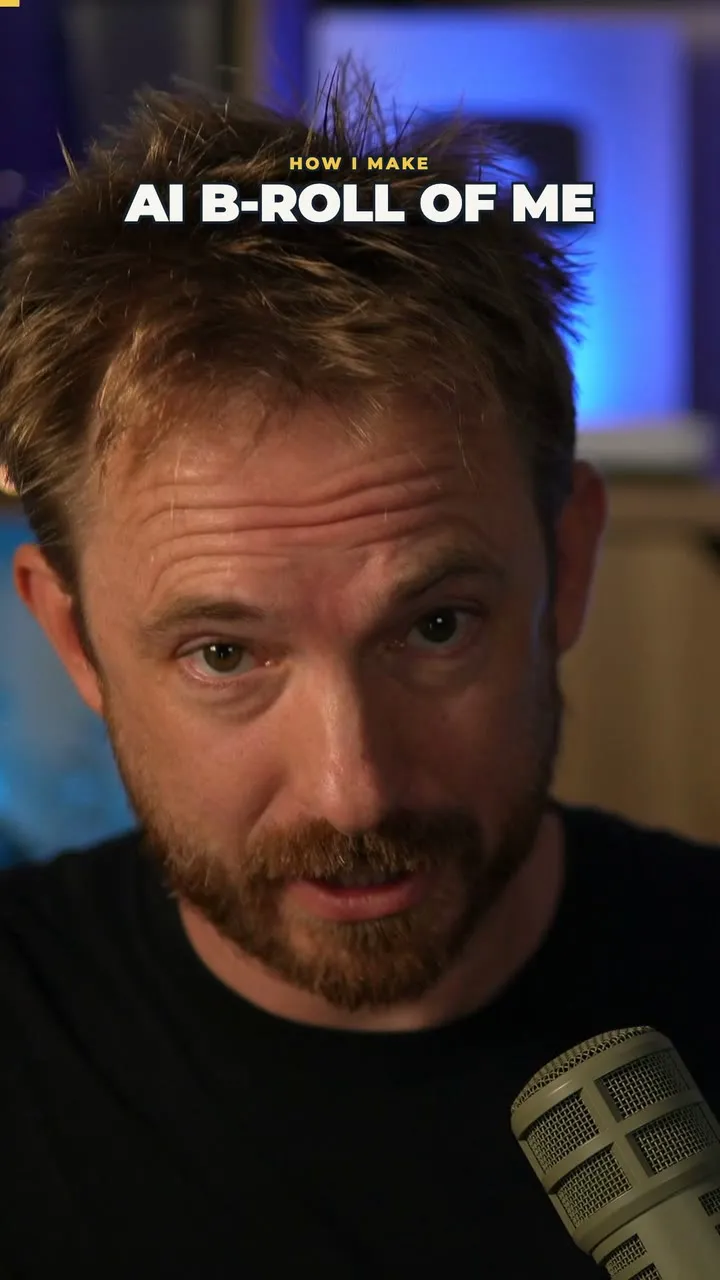
Disclosure: I’m an Adobe ambassador. Adobe sent me the goodie bag and the MAX on Tour ticket. Everything below ran on my own Firefly account.
I don’t film most of my b-roll any more.
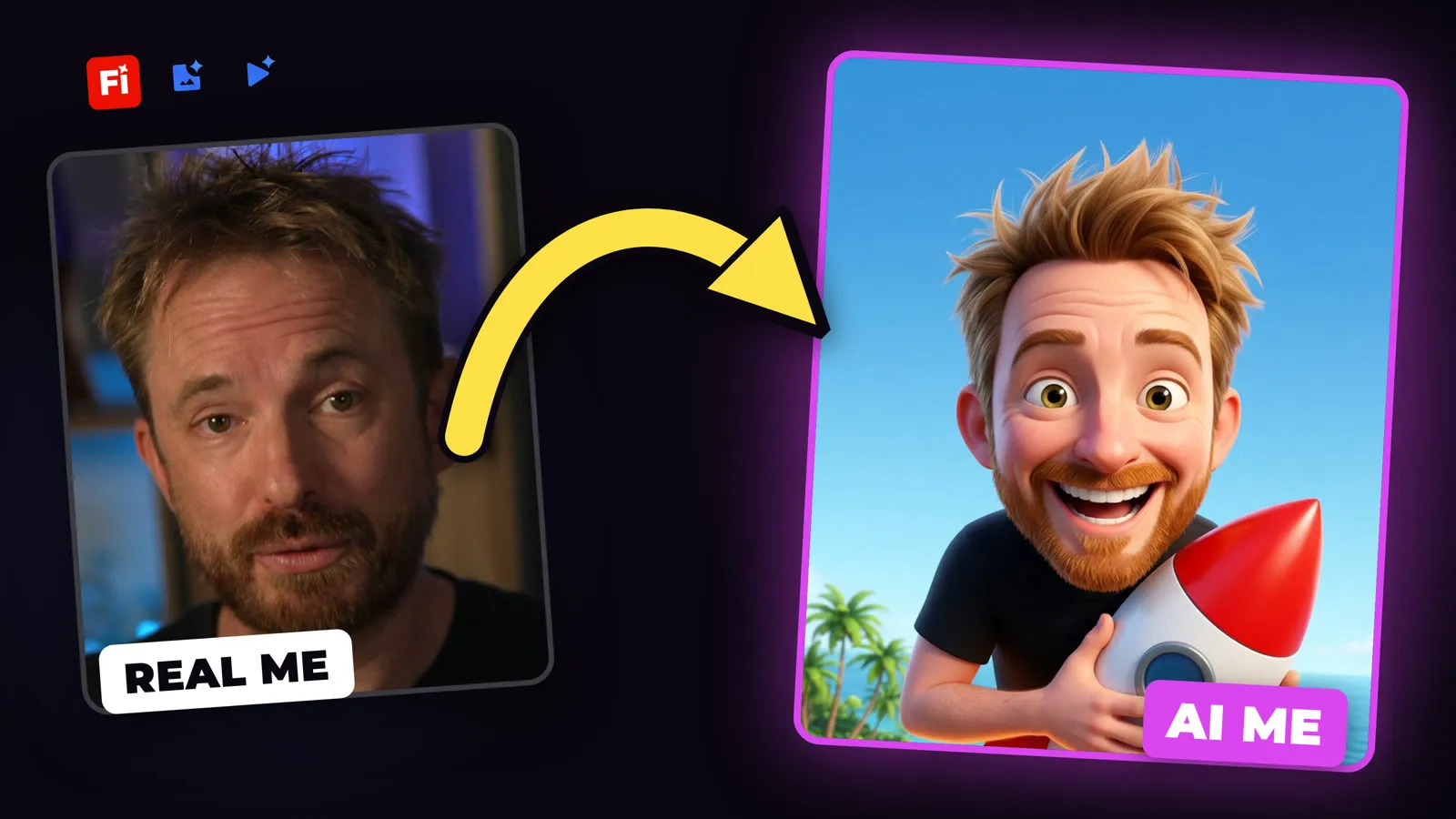
I take one frame of myself, and two AI models inside Adobe Firefly turn it into eight seconds of me doing something I could never film. Riding a rocket. Getting carried off a beach by a pelican. Asleep on the wing of a plane.
Here’s exactly how I do it, cartoon and photoreal, with the prompts I used.
I’m also giving away a guest ticket to Adobe MAX on Tour London on 19 November. You win it by making b-roll like this.
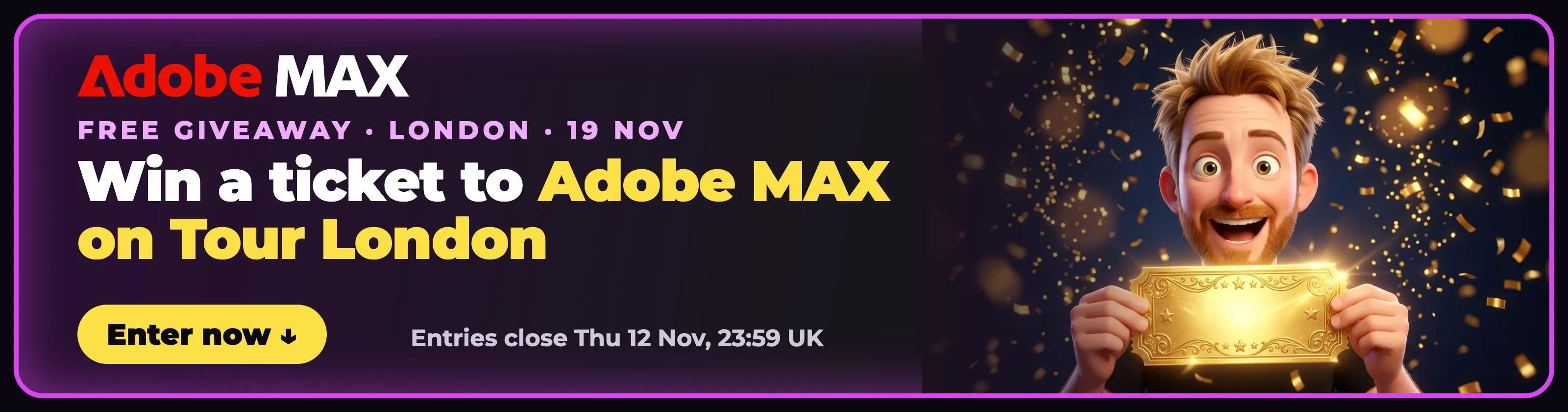
Enter the giveaway: how to win the ticket ↓
Key takeaways
- Two steps, one app. Nano Banana makes the still. Veo animates it. Both run inside the Adobe Firefly web app.
- One reference frame is enough. Every scene in my Adobe MAX Short came from the same single frame of me.
- You get 8 seconds with sound. Veo 3.1 Fast gives you 720p video with sound effects and ambience.
- Cartoon or photoreal. Same two steps. The joke decides which one I use.
- It was quick. The still took about 20 seconds. The video took about 2 minutes.
The stack: one frame in, a b-roll clip out
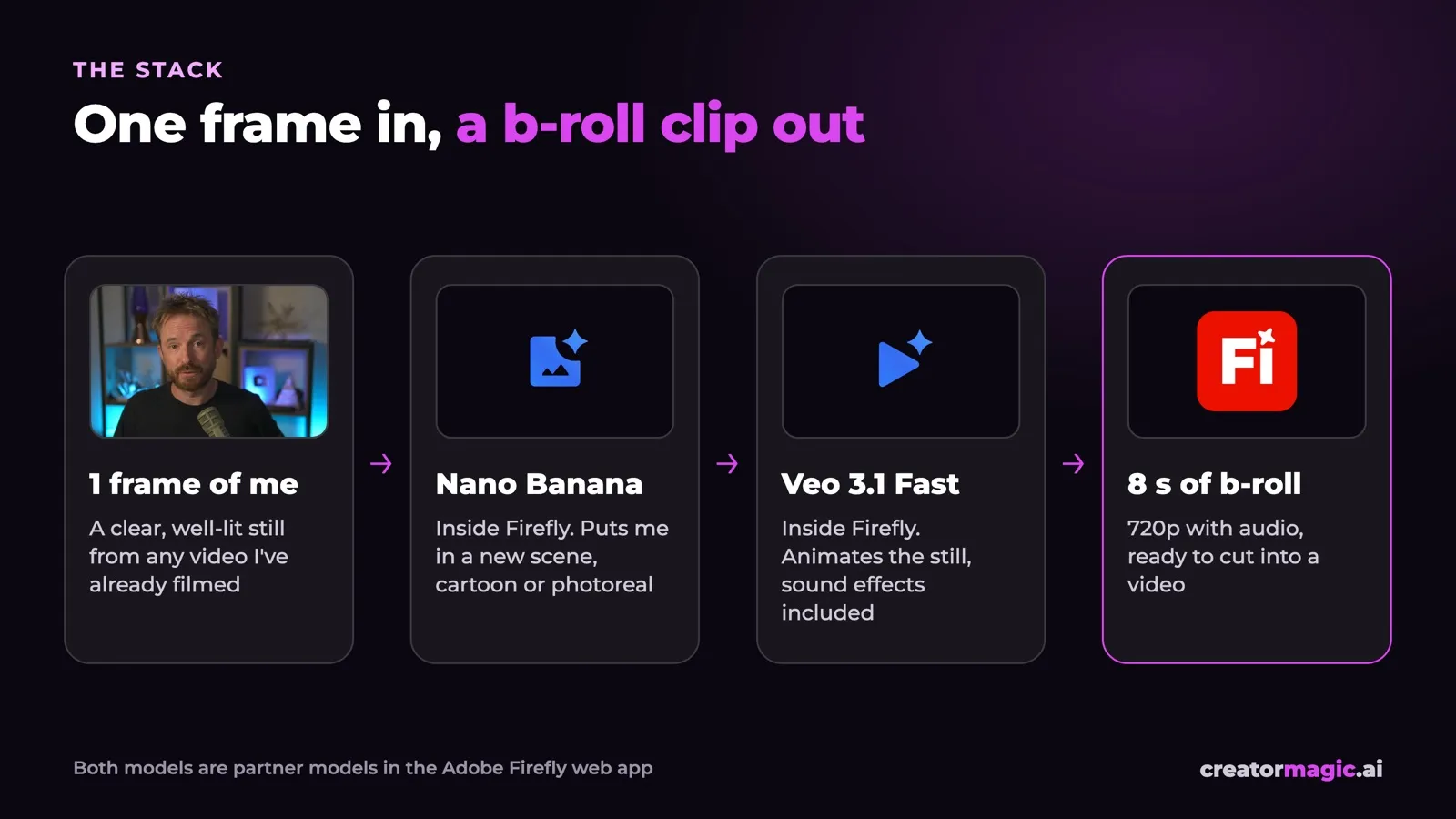
- One frame of me. A clear, well-lit still from any video I’ve already filmed. Face to camera, nothing covering it.
- Nano Banana, Google’s image model, running inside Firefly. It puts me in a new scene and a new style.
- Veo 3.1 Fast, Google’s video model, also inside Firefly. It uses that still as the first frame and animates it, with sound.
Both are partner models in Firefly, so I never leave one app and I don’t need a Google account.
Step 1: Nano Banana turns one frame into a new scene
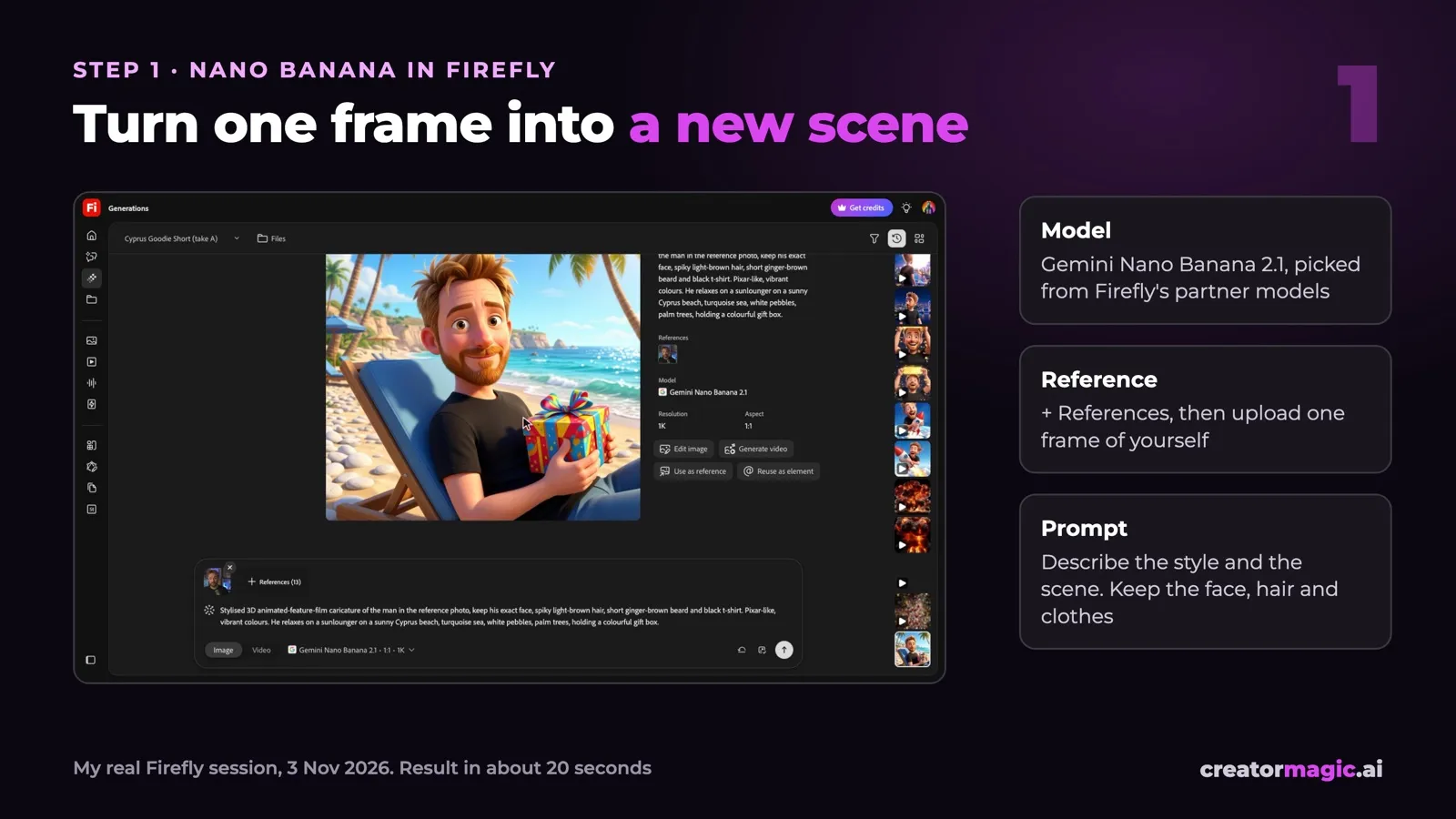
- Open Generate image in Firefly.
- In the model list, pick Gemini Nano Banana 2.1 (it’s under Partner models).
- Click + References, then Your device, and upload your frame.
- Write the prompt. Lock the person first, then describe the scene.
- Click Generate. My first result came back in about 20 seconds.
This is the style half of my prompt. I reuse it for every scene, so I look the same in every clip:
Stylised 3D animated-feature-film caricature of the man in the reference photo: keep his exact face, spiky messy light-brown hair, short ginger-brown beard, hazel eyes, and his plain black t-shirt. Pixar-like, vibrant saturated colours, cinematic lighting, one person only, five fingers per hand, no brand logos, no watermark, no readable text.
Then I add the scene:
Scene: He relaxes on a sunlounger on a sunny Cyprus beach, turquoise Mediterranean sea, white pebbles, palm trees, holding a colourful gift box on his lap.
Describe your own hair, beard and clothes. That’s what keeps the likeness. “One person only” and “five fingers per hand” save you a lot of re-rolls.
Step 2: Veo animates it, with sound
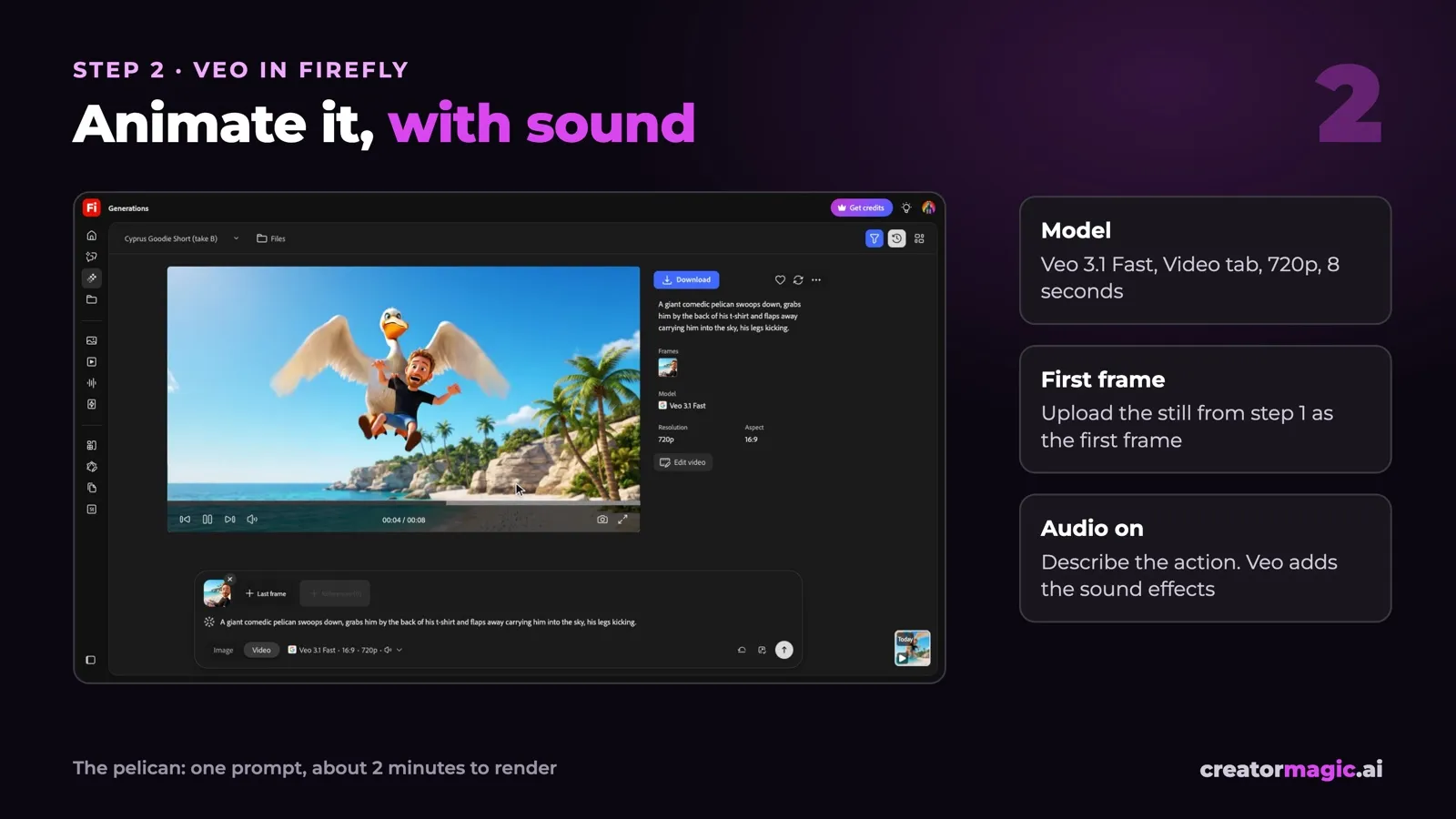
- Switch to the Video tab.
- Pick Veo 3.1 Fast. Mine was 720p, 24 fps, 8 seconds.
- Turn Audio on.
- Click + First frame and upload the still from step 1.
- Describe the action, not the scene. The scene is already in the still.
- Click Generate. Mine took about 2 minutes.
The prompt for the pelican clip:
A giant friendly cartoon pelican lands on the beach next to him, he hops onto its back and the pelican flies off up into the bright sky with him riding on it, he laughs and waves.
I always add this at the end, so the audio is sound effects only:
Keep his face and the cartoon style exactly the same. Mouth closed except for reactions, no dialogue, audio is only sound effects and ambience.
One thing that tripped me up. My first version said the pelican grabs me. Firefly refused it three times in a row as unsafe. When I changed it to a friendly pelican that I hop onto, it worked first time. If a clip keeps getting refused, make the action gentler, not the scene.
Nine scenes from one reference frame
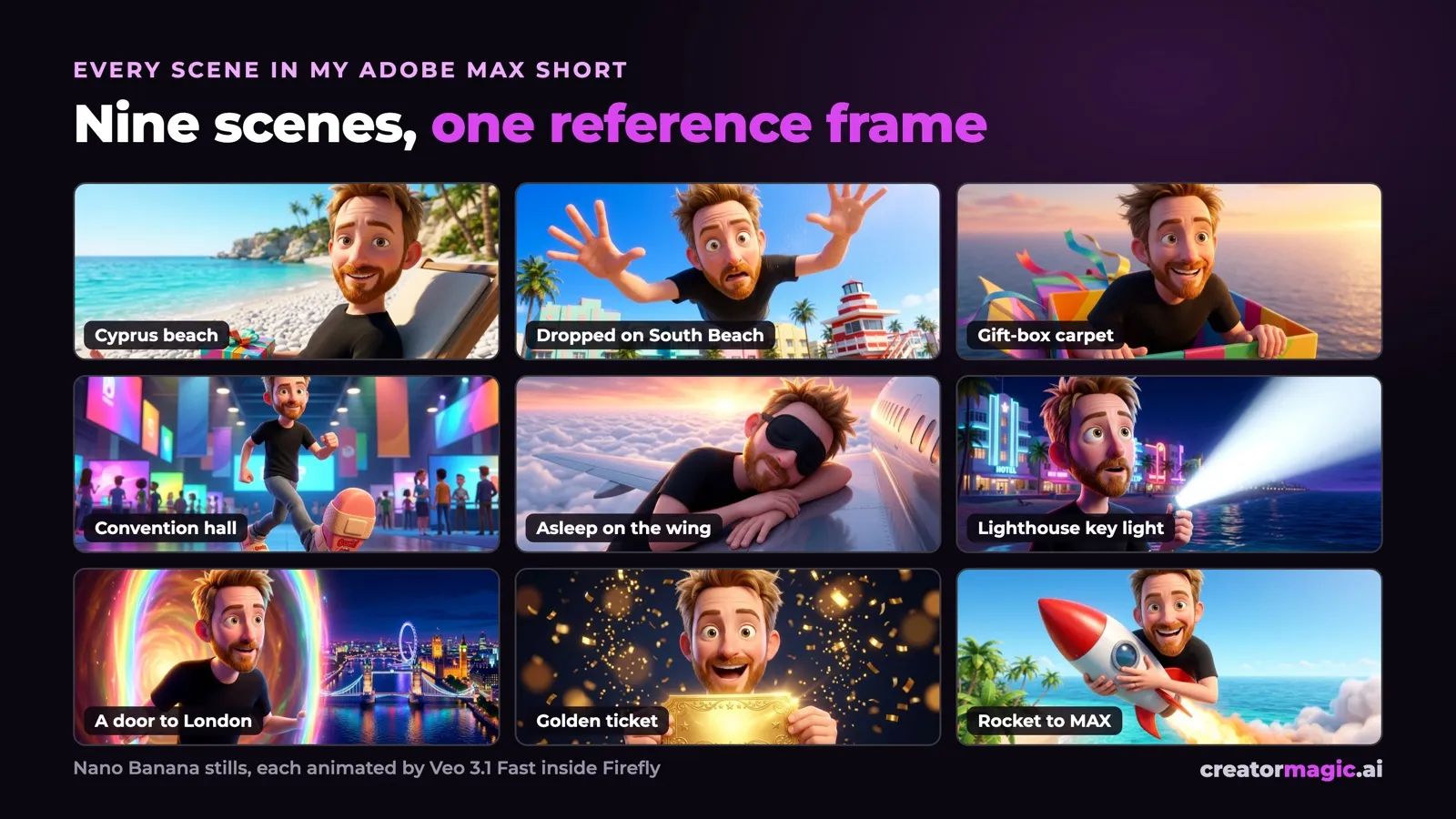
Every one of these came from the same frame of me and the same style prompt. Only the scene line changed.
They’re all in my Adobe MAX goodie bag Short: the gift box flying me across the Atlantic, giant blister plasters for the convention centre, the tiny clip-on light turning into a lighthouse beam.
The photoreal version
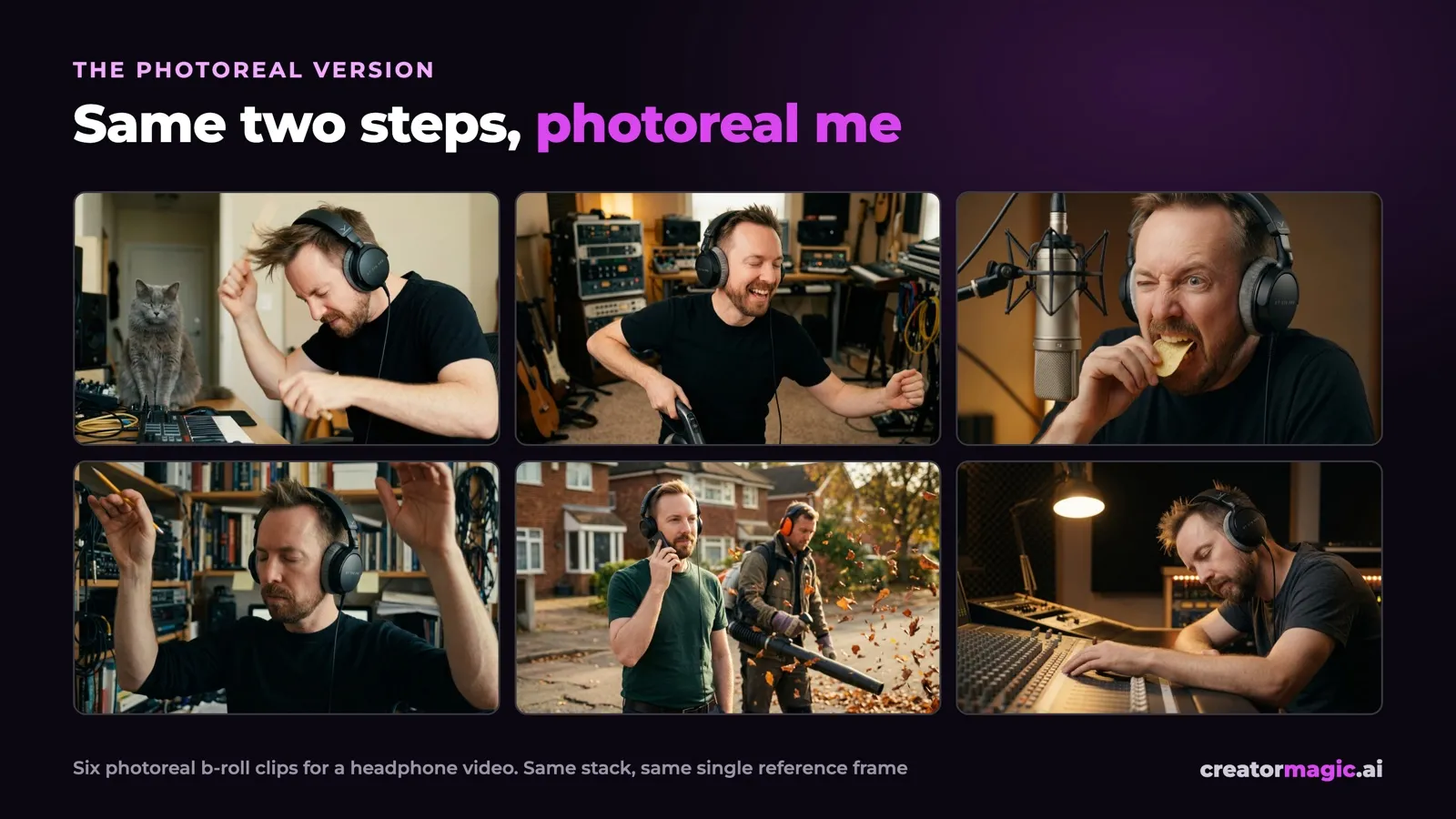
Same two steps. I just leave the cartoon style out of the prompt and describe a real photo instead: real room, real light, real lens.
I made these six for a headphone video. Nano Banana took my frame plus the product photos, and Veo animated each one. All six worked first time.
Cartoon or photoreal?
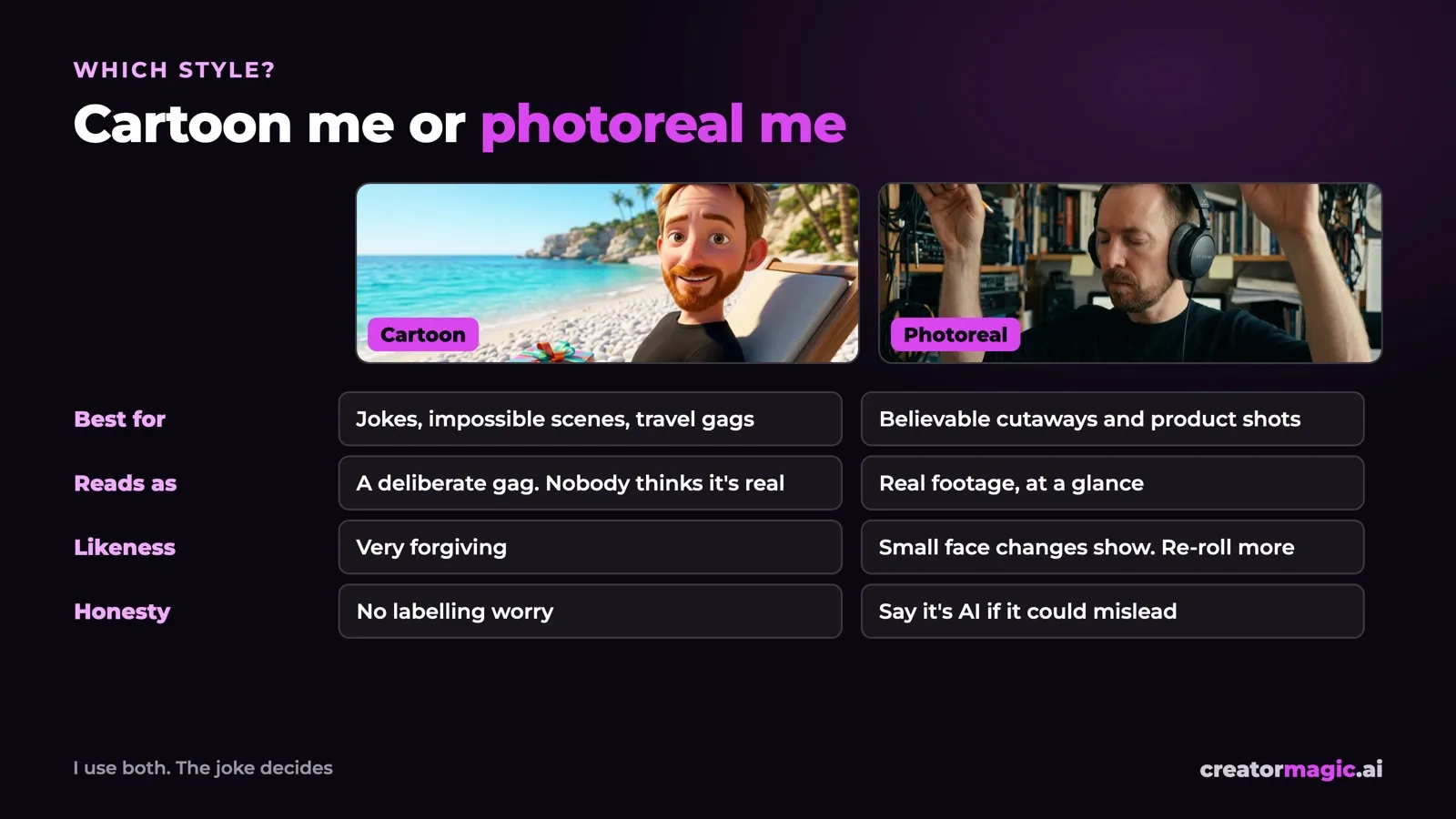
- Cartoon me is for jokes and impossible scenes. Nobody thinks I really rode a rocket, so it reads as a gag, and small likeness slips don’t matter.
- Photoreal me is for believable cutaways. Small changes to my face show, so I re-roll more.
- If a photoreal clip could fool someone into thinking it really happened, I say it’s AI.
Win a ticket to Adobe MAX on Tour London
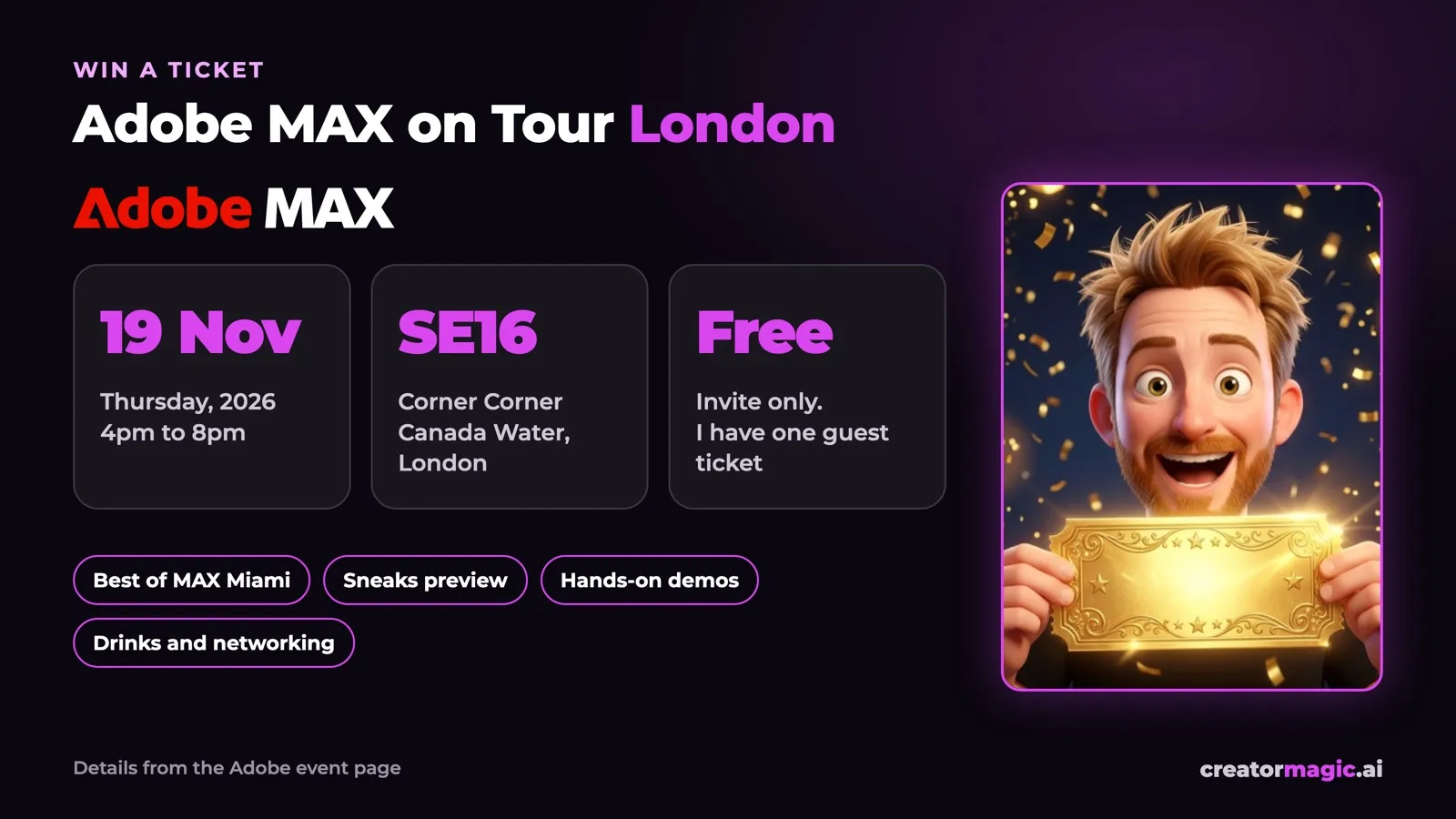
I’m at Adobe MAX in Miami Beach from 10 to 12 November. Adobe gave me one guest ticket for the London event straight after, and I want to give it to one of you.
- When: Thursday 19 November 2026, 4pm to 8pm.
- Where: Corner Corner, Maritime Street, Canada Water, London SE16 7LL.
- What: the best of MAX Miami, a preview of the Sneaks, hands-on demos with Adobe’s experts, food, drinks and a room full of creatives. I’ll be there too.
Full details are on Adobe’s event page.
How to enter
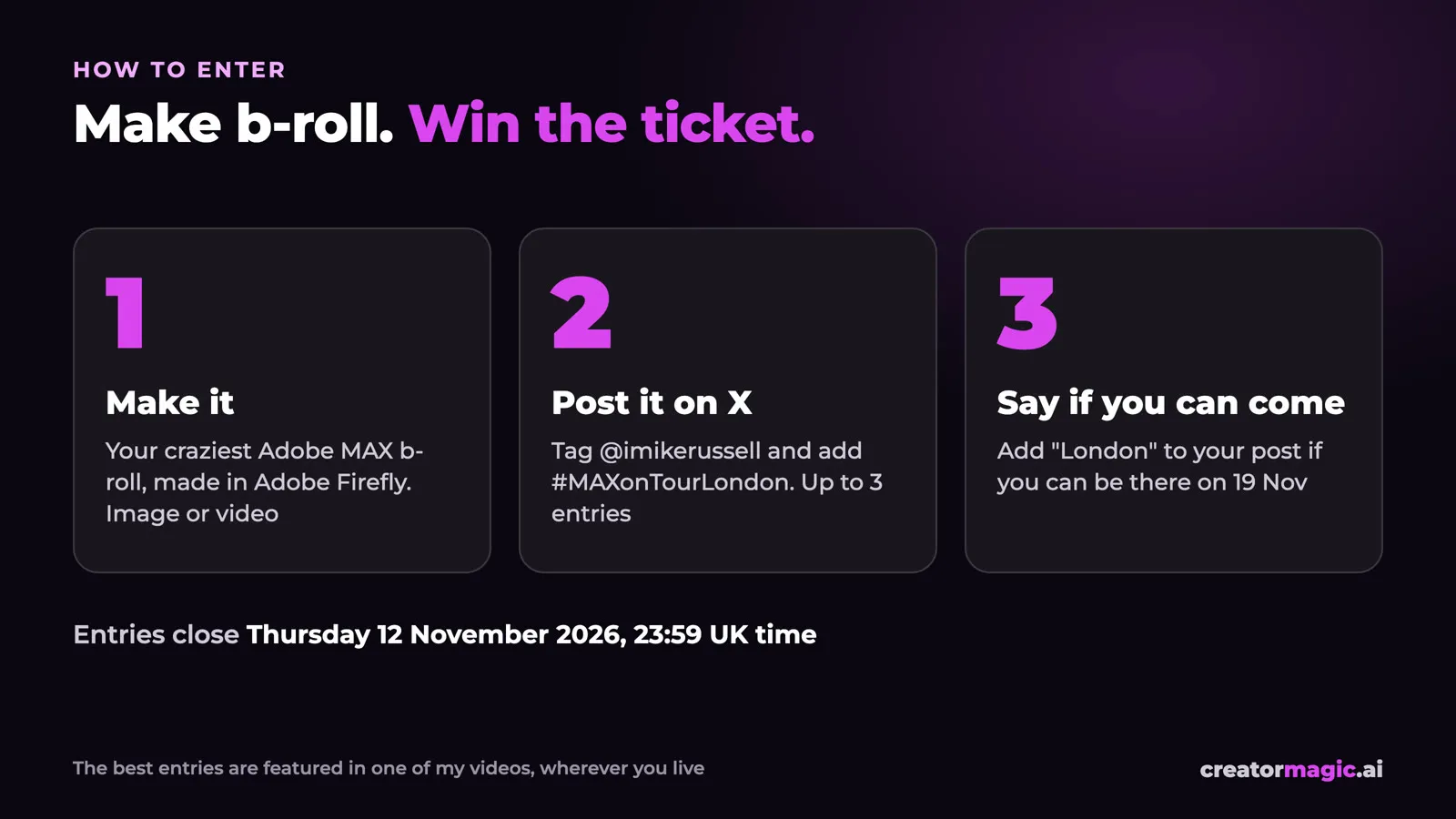
- Make it. Your craziest Adobe MAX b-roll, made in Adobe Firefly. An image or a video. Use the two steps above if you like.
- Post it on X. Tag imikerussell and add #MAXonTourLondon.
- Say if you can come. Put “London” in your post if you can be in London on 19 November.
Or just reply with your entry to my giveaway post on X. Up to three entries each. Entries close Thursday 12 November 2026 at 23:59 UK time.


The button fills in the text. Attach your image or video in X before you post.
Two prizes:
- The ticket: my favourite entry from someone who can be in London on 19 November.
- Featured: the best entries, from anywhere in the world, go in one of my videos, credited to you.
FAQ
How do I make AI b-roll of myself? Take one clear frame of yourself. In Adobe Firefly, use Nano Banana with that frame as a reference to put yourself in a new scene. Then give that still to Veo as the first frame to animate it.
Can I make a cartoon of myself with AI? Yes. Upload a photo of yourself as a reference in Nano Banana and ask for a 3D animated film style. Describe your hair, beard and clothes in the prompt so the cartoon still looks like you.
Can Veo turn an image into a video? Yes. In Firefly’s Video tab, Veo 3.1 Fast takes your image as the first frame and animates it for up to 8 seconds, with sound if you turn audio on.
Do I need to be in London to enter? No. Anyone can enter and be featured in a video. Only the ticket needs you in London on 19 November.
The rules
Read the full giveaway rules
- The giveaway is run by Music Radio Creative Ltd, 124 City Road, London EC1V 2NZ (“we”). It is not run, sponsored or endorsed by X. Adobe supplied the ticket.
- Free to enter. No purchase needed. Open to anyone aged 18 or over, except our staff and their families.
- Enter by posting an image or video made in Adobe Firefly on X, tagging imikerussell and using #MAXonTourLondon, or by replying with it to one of Mike Russell’s giveaway posts on X, between publication of this post and Thursday 12 November 2026 at 23:59 UK time. Up to three entries per person. Late entries are not counted.
- Your entry must be your own work. No real people other than yourself, no third-party logos or brands, nothing offensive or adult.
- Judged by Mike Russell on creativity and fun. This is a competition of skill, not a draw. Our decision is final.
- Ticket prize: one guest place at Adobe MAX on Tour London, Thursday 19 November 2026, Corner Corner, Canada Water, London. You must be able to attend on the day. Travel, accommodation and any other costs are yours. There is no cash alternative.
- Adobe’s tickets are registered to a named person and cannot be transferred. The winner gives us their full name and email so we can register them with Adobe, and must bring photo ID that matches that name on the night.
- We’ll contact the winner by DM on X by Friday 13 November 2026. If they don’t reply within 24 hours, or can’t attend, the place goes to a runner-up.
- Featured prize: we may show selected entries in Mike Russell’s videos and posts, credited to the entrant. You keep the copyright in your entry and give us a free, non-exclusive licence to show it for that purpose.
- We use your details only to run this giveaway and to register the winner with Adobe.
- We can change or cancel the giveaway if something outside our control stops it, for example if the event changes. Any change will be posted here.
Watch the Short on YouTube to see every scene in motion.