esp32
ESP-Mosaico: Gemini 4 Argon Wrote My ESP32-S31 Firmware
Espressif sent me the ESP-Mosaico early. Gemini 4 Argon wrote the firmware, I flashed it with an AI agent, and my trading bees now live in a box.

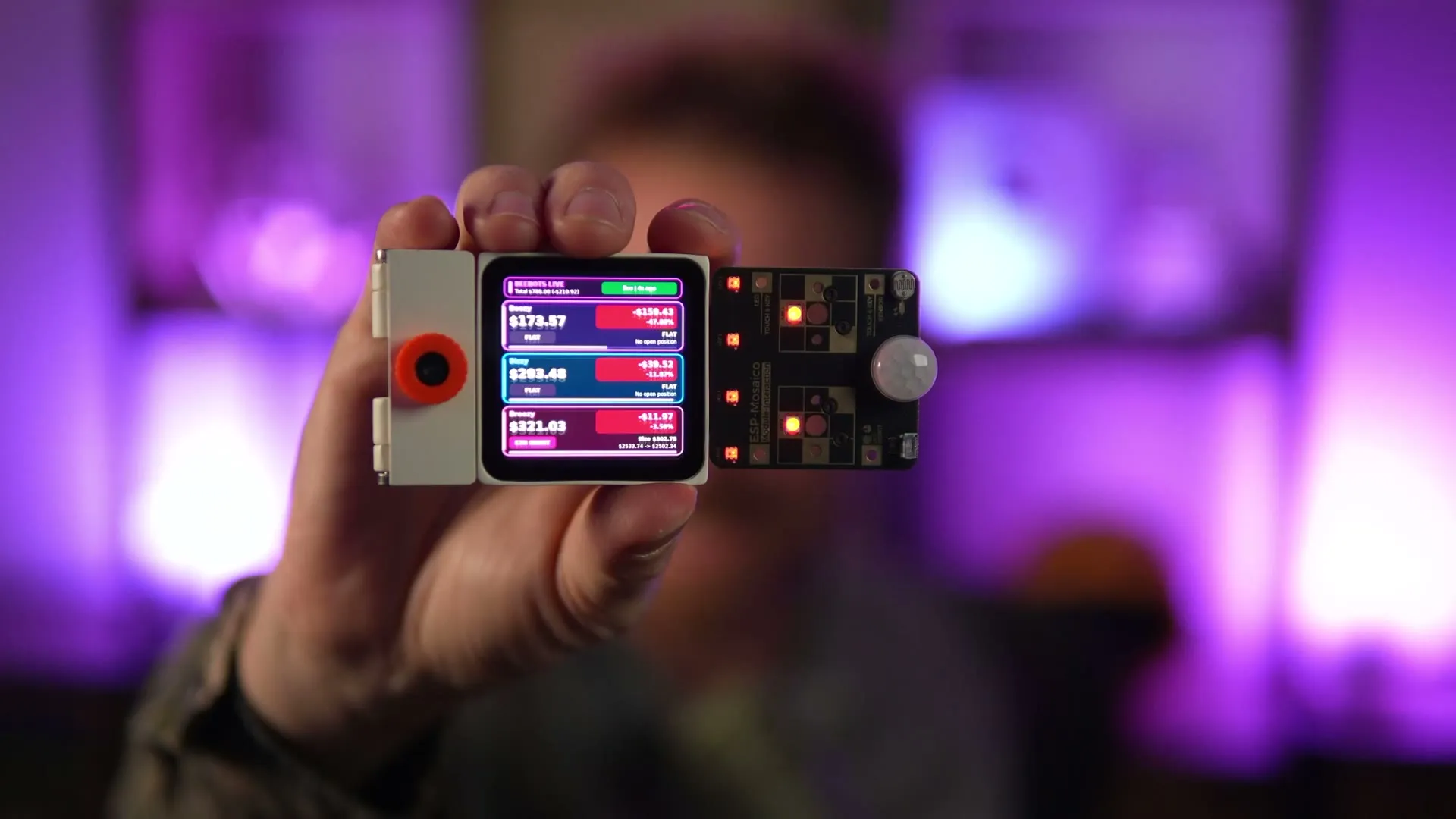
Espressif, the company behind the ESP32, sent me their new ESP-Mosaico before launch. It’s a tiny magnetic computer built for AI coding agents.
I wanted to know one thing: can Google’s newest model write firmware for a board that isn’t even out yet? So I gave Gemini 4 Argon the board’s API reference and a starter project, and asked for a live dashboard for my three AI trading bees. I didn’t touch a line of its code.
It worked. Here’s everything, including the exact prompts.
Key takeaways
- The ESP-Mosaico runs on the new ESP32-S31: Wi-Fi 6, Bluetooth, 16 MB of memory, a 480 x 480 square touchscreen, speaker, mic, vibration motor and a gyro. Magnets on the edges let tiles sense each other.
- Modules click on: RGB LEDs, a PIR motion sensor, a light sensor, an infrared blaster, and a camera.
- Gemini 4 Argon wrote the whole app (screen layout, LEDs, motion wake) from one long prompt plus one “keep going”. The firmware, about 2 MB, compiled.
- An AI agent in Buzz on my Mac Studio did the flashing. The hard part was getting the board into flash mode, and the fix is below.
- It runs on battery, pulls fresh numbers about every 5 seconds and wakes when I walk past.
Links: ESP-Mosaico on Product Hunt · ESP-Mosaico guide · latest firmware · my bees, trading live
What is the ESP-Mosaico?
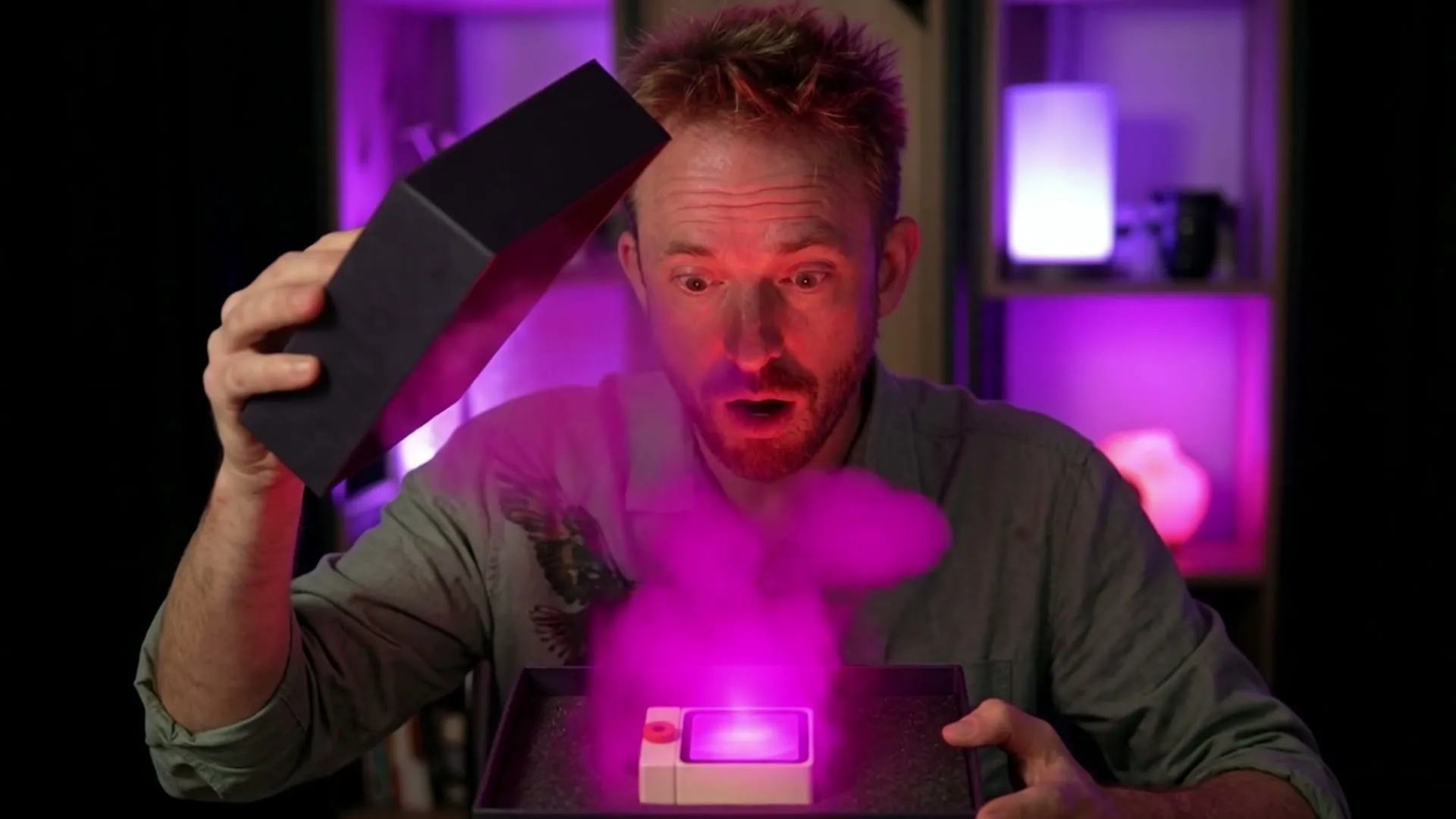
In an earlier video I plugged $20 ESP32 boards into Claude Code with no manuals, and it had to work out of the box. That one passed half a million views, so I did three more. Then Espressif got in touch and sent me this.
Inside is a brand new chip, the ESP32-S31.
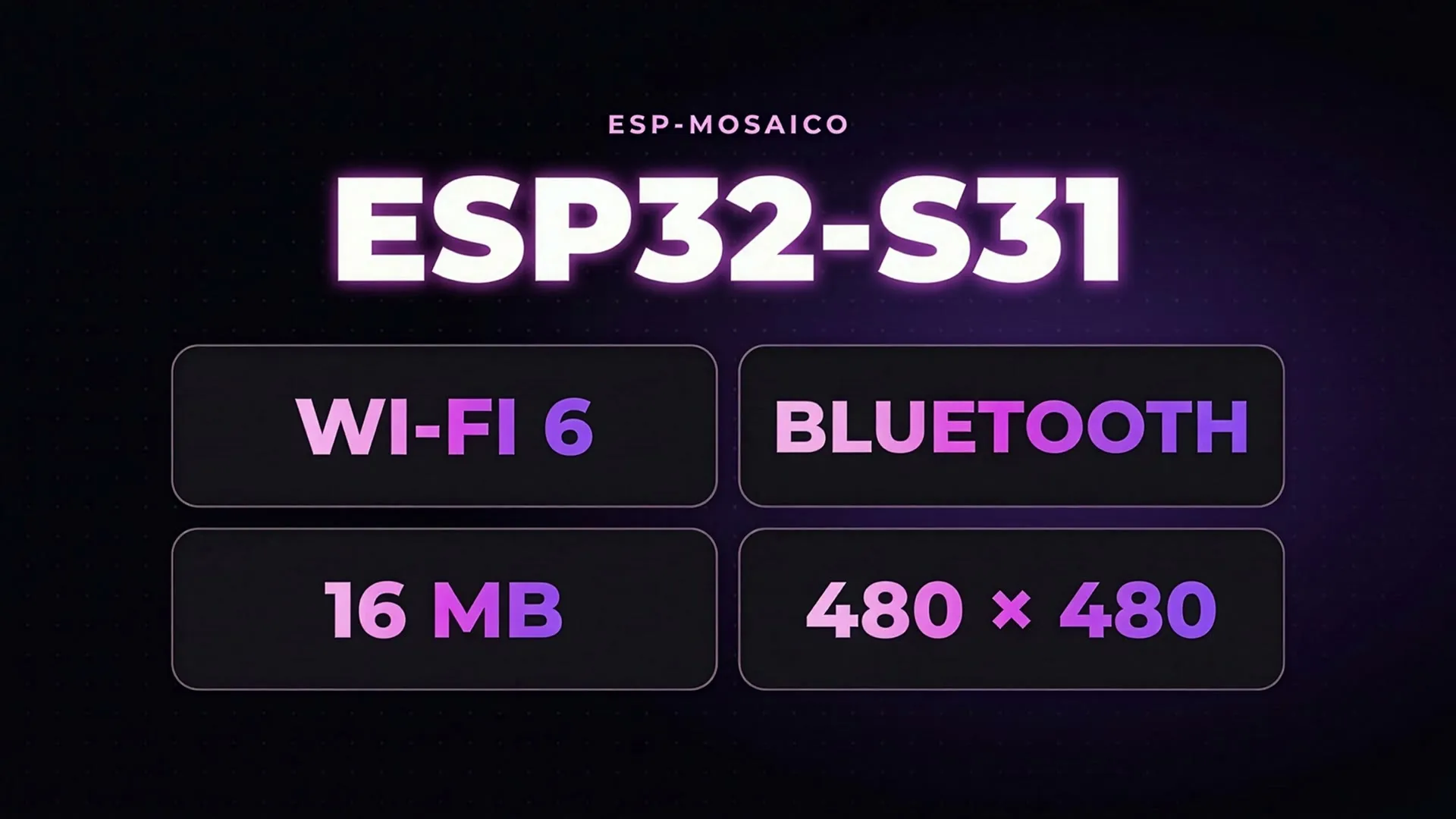
- Chip: ESP32-S31, Wi-Fi 6 and Bluetooth, 16 MB of memory.
- Screen: square touchscreen, 480 x 480.
- Sound and sense: speaker, microphone, vibration motor, gyro. It knows when you pick it up and move it.
- Magnets on every edge: it can sense when you join two or more tiles.
- Modules: they click on. Mine came with an Interaction module (RGB LEDs, PIR motion sensor, light sensor, infrared blaster for TVs and air conditioners) and a camera.
- Battery built in, USB-C for power and flashing.
It feels foolproof. Plug in the USB-C cable and it comes to life.
Chat coding vs vibe coding
Espressif gives you two ways to build on it:
- Chat coding. Connect it to Wi-Fi and the board runs its own AI agent. You talk to it and it builds little apps for you, right there on the tile.
- Vibe coding. Everything is on GitHub, with instructions written for AI agents (Claude Code, Codex, Cursor). There’s a simulator so your app runs on your computer first, and the agent can take screenshots of the real device to check its own work.
I went the vibe coding route, with a twist: Gemini 4 Argon writes the code.
The prompt I gave Gemini 4 Argon
This is how the prompt opened, word for word:
Build me firmware for my new ESP-Mosaico that shows my three AI trading bees live. Make it look stunning on camera: dark background #0a0710, fuchsia #d946ef accents, big readable numbers, each bee in its own colour card. Use the Mosaico's own hardware (the LEDs and motion sensor) so it feels alive, not just a screen.Then the task itself:
TASK: build a "live bees dashboard" app named `bees_live`. It shows three AI crypto trading bots ("bees": Boozy, Bizzy, Breezy) live from https://beebots.tech/snapshot, refreshed every 5 seconds: per bee the name, equity in USD, PnL in USD and percent (green when >= 0, red when < 0), and the open position (coin, LONG/SHORT, size USD, entry and mark price) or "FLAT" when position is null. Also show a status line (Wi-Fi / live / error and seconds since last update). Use the Interaction module if present: LEDs 0-1 = Boozy, 2-3 = Bizzy, 4-5 = Breezy, green when that bee's pnlUsd >= 0, red otherwise, dimmed; PIR motion wakes the display to full brightness and after 60 s without motion dim it. The app must still work when the Interaction module is absent.Below that went the context it needed, so it started from something real:
- The board’s API reference: the screen framework, how the scene file works, the generated C functions, and the LED and motion sensor calls.
- A working network module (fetch the bees’ numbers over Wi-Fi), to copy in unchanged.
- A starter project to build on.
- Strict rules. The most important: do not invent APIs, use only what is listed here. Also: plain C, no networking inside screen callbacks, keep text inside the rounded corners, and never crash if the module or Wi-Fi is missing.
Swap in your own data source and colours and the same shape works for any dashboard.
“Keep going”: when the model hits its output limit
Argon wrote the dashboard, the screen layout, the LEDs and the motion sensor. Halfway through the main file it hit its output limit, so I told it to carry on:
You were cut off in the middle of main.c. Continue: give the complete projects/bees_live/main/main.c, projects/bees_live/main/CMakeLists.txt, projects/bees_live/main/idf_component.yml, projects/bees_live/pc/CMakeLists.txt and projects/bees_live/pc/platform_pc.c, each in its own fenced block headed by its path. Don't repeat the files you already gave.And it did. The firmware compiled: about 2 MB, all green, and I hadn’t touched a line.
Flashing it with an AI agent
My AI agent runs inside Buzz and controls my Mac Studio, where the board is plugged in. These are the messages I sent it:
This will be a thread to setup and flash the ESP-MOSAICO on my Mac Studio M1. Just quick pre-flight reply in 10 words to let me know all is good?Make sure anything needed is installed before I plug board in please.It installed the ESP32 toolchain and built the app on the Studio, then told me to plug the board in.
ESP32 not showing up over USB-C? Turn it on
The agent could see my Stream Deck, my RODECaster and everything else, but not the board. Its first fix: turn it on with the power button. I asked “can you see it now?” and it checked every connected USB device.
How to put the ESP-Mosaico into flash mode
Getting it into a mode I could flash was harder than I thought. I tried at least four times. So I asked the AI to read the docs, and this is what worked:
- Power it off fully, battery included, until the screen is black.
- Hold the BOOT button, the one to the left of the USB-C port.
- Keep holding it and press the power button once.
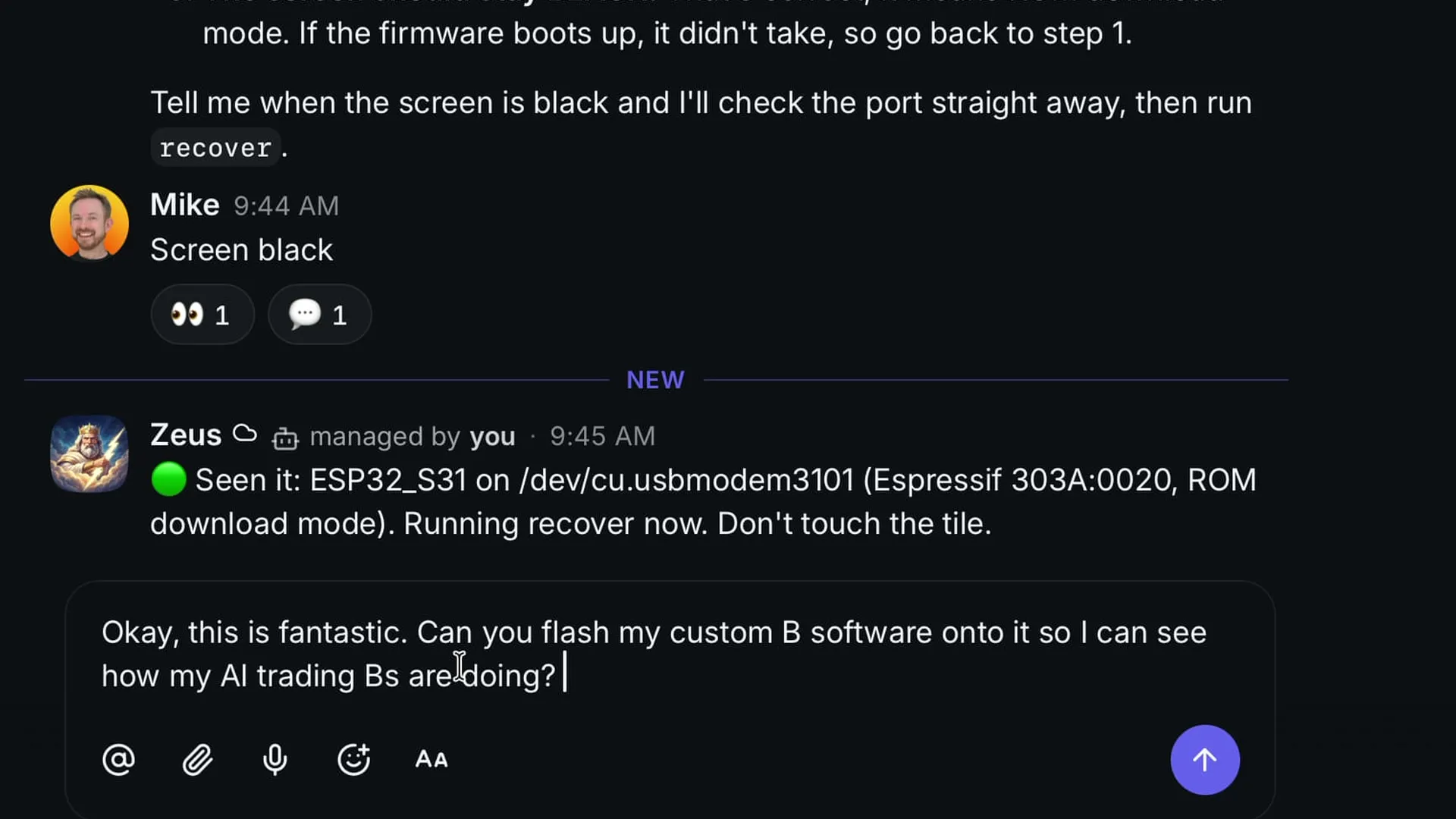
The agent saw it straight away: ESP32-S31, in recovery mode. Then:
Okay, this is fantastic. Can you flash my custom bee software onto it so I can see how my AI trading bees are doing?The tile vibrated, switched to Vibe Mode and said USB mode available, network offline. So everything happens locally on my computer, with code written by Gemini 4 Argon.
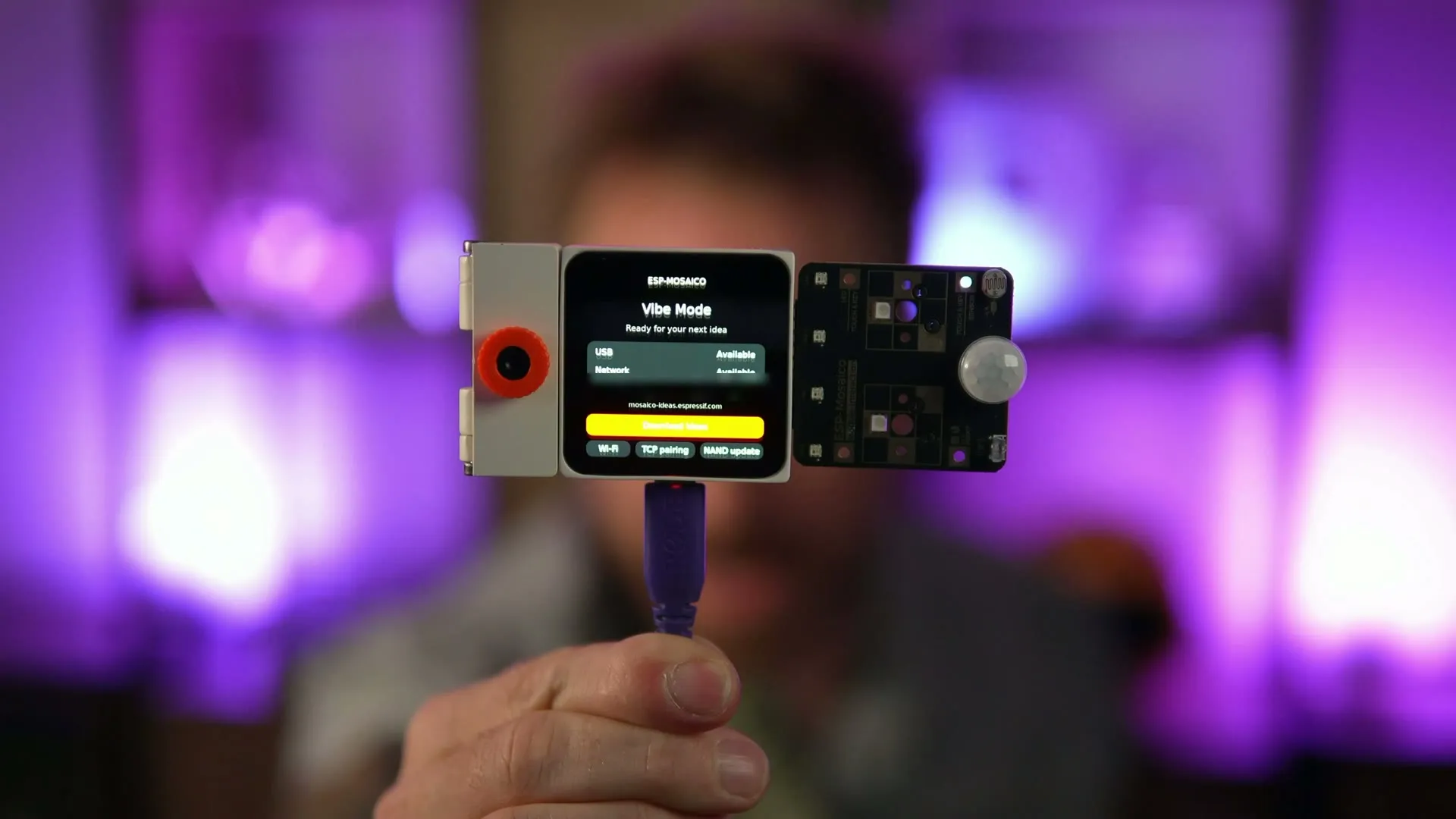
Installing the app takes a few minutes, so keep it plugged in. Then: bees. They said “waiting for snapshot” at first, because the board wasn’t on Wi-Fi yet. The agent gave me one command to run on the Mac. I typed my Wi-Fi password into it, and it sent the details to the tile and updated it.
Bees in a box: live data, LEDs and motion wake
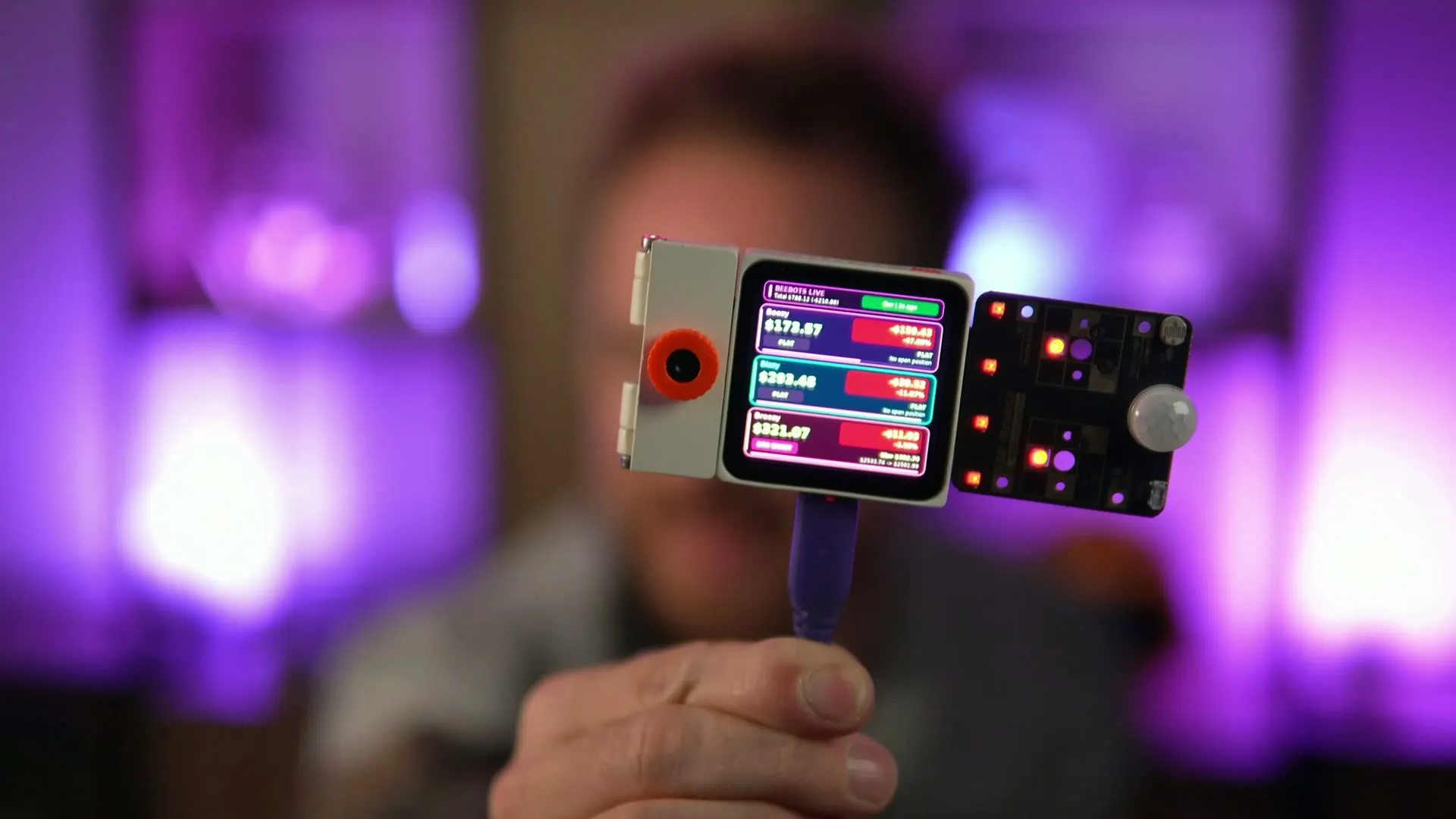
Real-time numbers from my trading site. And every LED went red, because all my bees were down. They were doing terribly that day. Now I have a real-world device that tells me so, bright red and rather scary.
- It asks the site for fresh numbers about every 5 seconds.
- Two LEDs per bee: green when it’s up, red when it’s down.
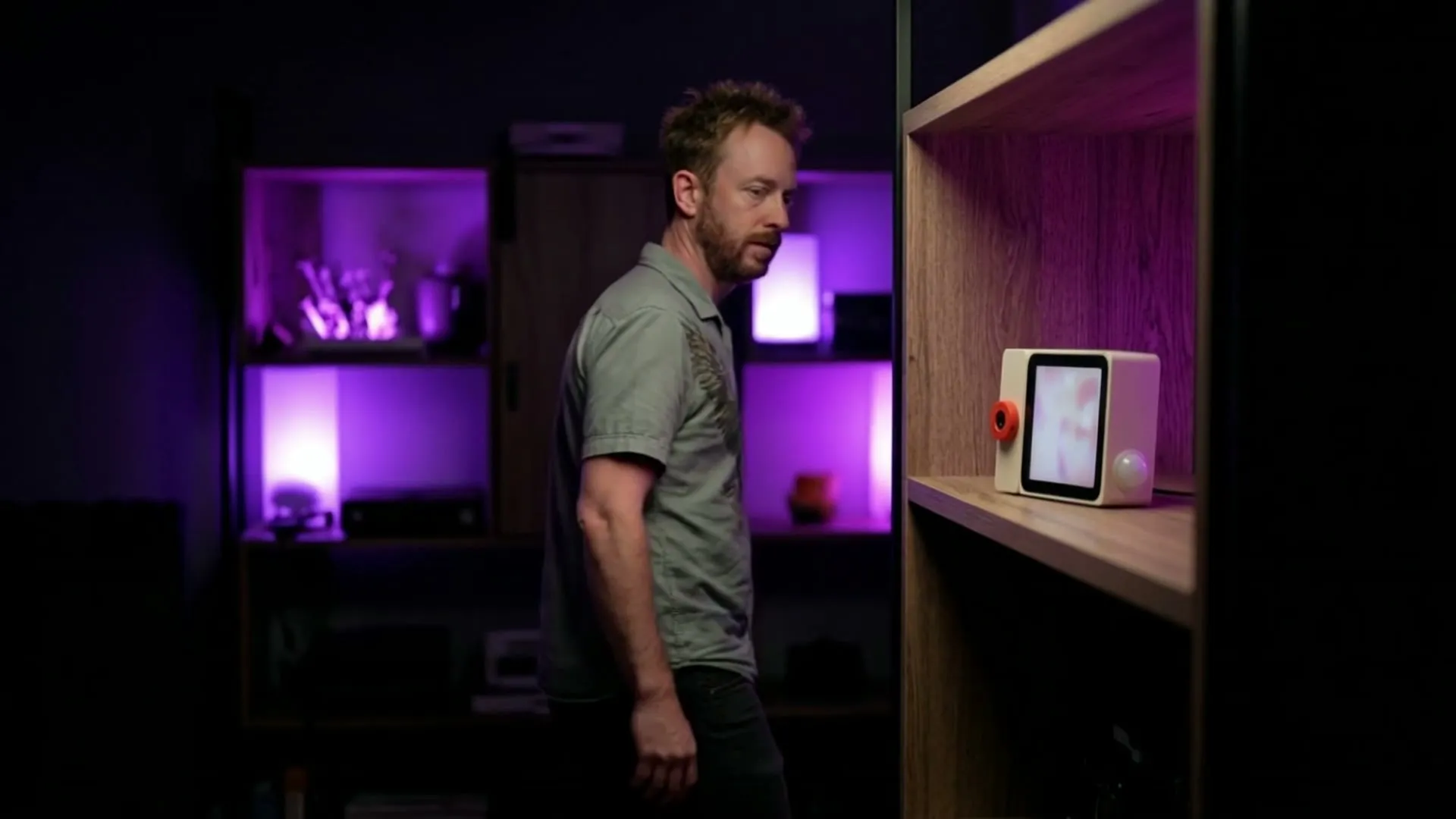
- The motion sensor wakes the screen when I walk past. After a minute without motion it dims and goes to sleep.
Running on battery
Once it’s flashed, I can unplug the USB-C cable and it keeps running on its battery. It sits in the corner of my studio, always ready. The screen sleeps, I walk past, it wakes up, and there are my bees.
Can Gemini 4 Argon write ESP32 firmware?
Yes, and extremely well. Two things made it work:
- Give it the real API, and forbid inventing one. That rule is what kept the code compiling for a board the model had no chance to learn about.
- Use the docs for the hardware dance. Flash mode was the only real snag, and the documentation had the answer.
Once the board is in flash mode, you can send firmware down the USB-C cable with whatever you like: Claude Code, Codex, or Gemini 4 Argon. My bees went from a browser tab to a little box with a motion sensor that sits in my studio.
The ESP-Mosaico launches today on Product Hunt. Take a look, and if you have one, update the firmware first, then vibe code something. There’s a whole bunch of sensors I haven’t explored yet.
This isn’t the first job I’ve given Gemini 4 Argon. It also built me an AI sponsor finder with Zapier from one prompt.
Espressif sent me this unit free as part of their Early Creator Programme. No money changed hands.
Build it with me
If you want to build things like this with me, come and join the Creator Magic community. See what’s in the community first if you’d like a look around.